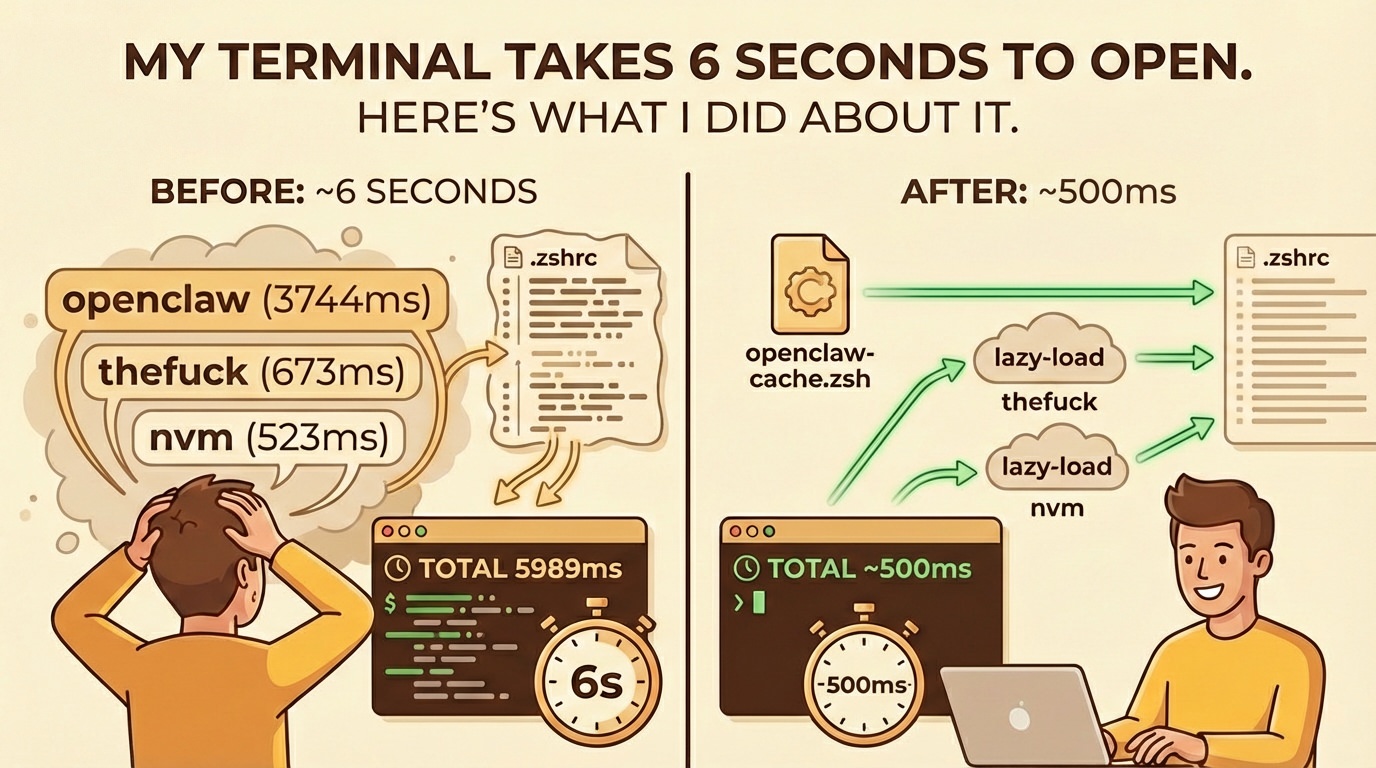
The Problem
Opening a new terminal took ~6 seconds before the prompt appeared. Not catastrophic, but annoying enough to investigate.
Profiling
Zsh has a built-in $SECONDS variable with fractional precision. Drop this at the top of your .zshrc:
typeset -F SECONDS=0
_zsh_timer_last=$SECONDS
_zt() {
  local now=$SECONDS
  printf '⏱ %-40s %6.0fms\n' "$1" "$(( (now - _zsh_timer_last) * 1000 ))"
  _zsh_timer_last=$now
}
Then after each heavy operation (every eval, source, tool init), add _zt "label". At the bottom of .zshrc:
printf '⏱ %-40s %6.0fms\n' "TOTAL" "$(( SECONDS * 1000 ))"
unfunction _zt
Open a new terminal. You'll see exactly where your time goes.
My Results
⏱ oh-my-posh                                  511ms
⏱ oh-my-zsh                                   235ms
⏱ gcloud                                        2ms
⏱ opam                                          3ms
⏱ thefuck                                     673ms
⏱ sdkman                                       93ms
⏱ atuin                                        18ms
⏱ nvm                                         523ms
⏱ asdf                                          1ms
⏱ 1password                                   186ms
⏱ openclaw                                   3744ms
⏱ TOTAL                                      5989ms
Three things jumped out immediately:
| Offender | Time | What it does on every shell open |
|---|---|---|
| openclaw | 3744ms | Boots Node.js to generate static shell completions |
| thefuck | 673ms | Boots Python to generate a shell alias |
| nvm | 523ms | Loads the entire nvm environment |
That's 4940ms spent on things I don't need at shell startup. Almost 5 seconds of pure waste.
The Fixes
1. Cache openclaw completions with auto-invalidation (3744ms saved)
The openclaw CLI generates shell completions dynamically, but the output is static - it only changes when the CLI itself is updated. Cache it, and use zsh's -nt (newer-than) test to auto-regenerate when the binary changes:
# Before (3744ms every terminal open)
source <(openclaw completion --shell zsh)

# After (~1ms - reads a file, auto-regenerates on update)
_openclaw_cache=~/.openclaw-completion.zsh
if [[ ! -f "$_openclaw_cache" ]] || [[ "$(which openclaw)" -nt "$_openclaw_cache" ]]; then
  openclaw completion --shell zsh > "$_openclaw_cache"
fi
source "$_openclaw_cache"
unset _openclaw_cache
The -nt check compares file modification times. Any reinstall or upgrade touches the binary, triggering a one-time regeneration. Zero maintenance. I wrote a deeper dive on the openclaw issue specifically.
2. Lazy-load thefuck (673ms saved)
thefuck boots a full Python process on every shell init just to register an alias. You only need it when you actually type fuck:
# Before: runs Python on every terminal open
eval $(thefuck --alias)

# After: defers Python until first use
fuck() {
  unfunction fuck
  eval $(thefuck --alias)
  fuck "$@"
}
The first time you type fuck, it initializes (one-time 673ms delay). Every subsequent call is instant. Every terminal that never uses it pays nothing.
3. Lazy-load nvm (523ms saved)
NVM's init script is notoriously slow. Defer it until you actually call nvm, node, npm, or npx:
# Before: loads nvm on every terminal open
export NVM_DIR="$HOME/.nvm"
[ -s "$NVM_DIR/nvm.sh" ] && \. "$NVM_DIR/nvm.sh"

# After: defers until first use
export NVM_DIR="$HOME/.nvm"
_nvm_lazy_load() {
  unfunction nvm node npm npx
  [ -s "$NVM_DIR/nvm.sh" ] && \. "$NVM_DIR/nvm.sh"
}
nvm() { _nvm_lazy_load; nvm "$@"; }
node() { _nvm_lazy_load; node "$@"; }
npm() { _nvm_lazy_load; npm "$@"; }
npx() { _nvm_lazy_load; npx "$@"; }
Same pattern as thefuck - placeholder functions that replace themselves on first call.
Results
| Fix | Time saved |
|---|---|
| openclaw cache + auto-invalidation | 3744ms |
| thefuck lazy-load | 673ms |
| nvm lazy-load | 523ms |
| Total saved | ~4940ms |
Shell startup went from ~6 seconds to ~1 second.
The General Pattern
Most shell startup bloat comes from two things:
Dynamic generation of static output - CLIs that run
source <(some-tool completion --shell zsh). The output doesn't change between runs, but you pay the full runtime boot cost every time. Cache it.Eager initialization of lazy-use tools - Tools you use occasionally (
thefuck,nvm) that run heavyweight init on every shell open. Wrap them in placeholder functions that self-replace on first call.
If your terminal feels sluggish, profile it. The investigation takes 5 minutes. The fixes take another 5. The payoff compounds on every terminal you open for the rest of time.