Stop Treating Your LLM Like a Magic Wand
Note: This post uses simplified examples to illustrate core concepts and workflow patterns. In practice, the actual execution varies significantly from client to client based on their specific needs, tech stack, and organizational structure. What I do is either help you transform your existing workflow to work effectively with LLMs, or draw from my extensive cross-industry experience to suggest entirely new flows and solutions that might work better for your situation—which is part of my AI implementation consulting.
I’ve watched developers copy-paste entire codebases into ChatGPT, then wonder why the output doesn’t work. I’ve seen teams treat Cursor like a junior developer they never have to train. The problem isn’t the LLM—it’s that we’re using billion-parameter models with zero-parameter thinking.
The industry promised us that LLMs would 10x our productivity. ChatGPT, GitHub Copilot, Cursor, Claude—pick your poison. The reality? Most teams using these tools aren’t measurably more productive. Some are actually shipping more technical debt, faster than ever before.
The disconnect isn’t the technology. It’s the methodology—or rather, the complete lack of it.
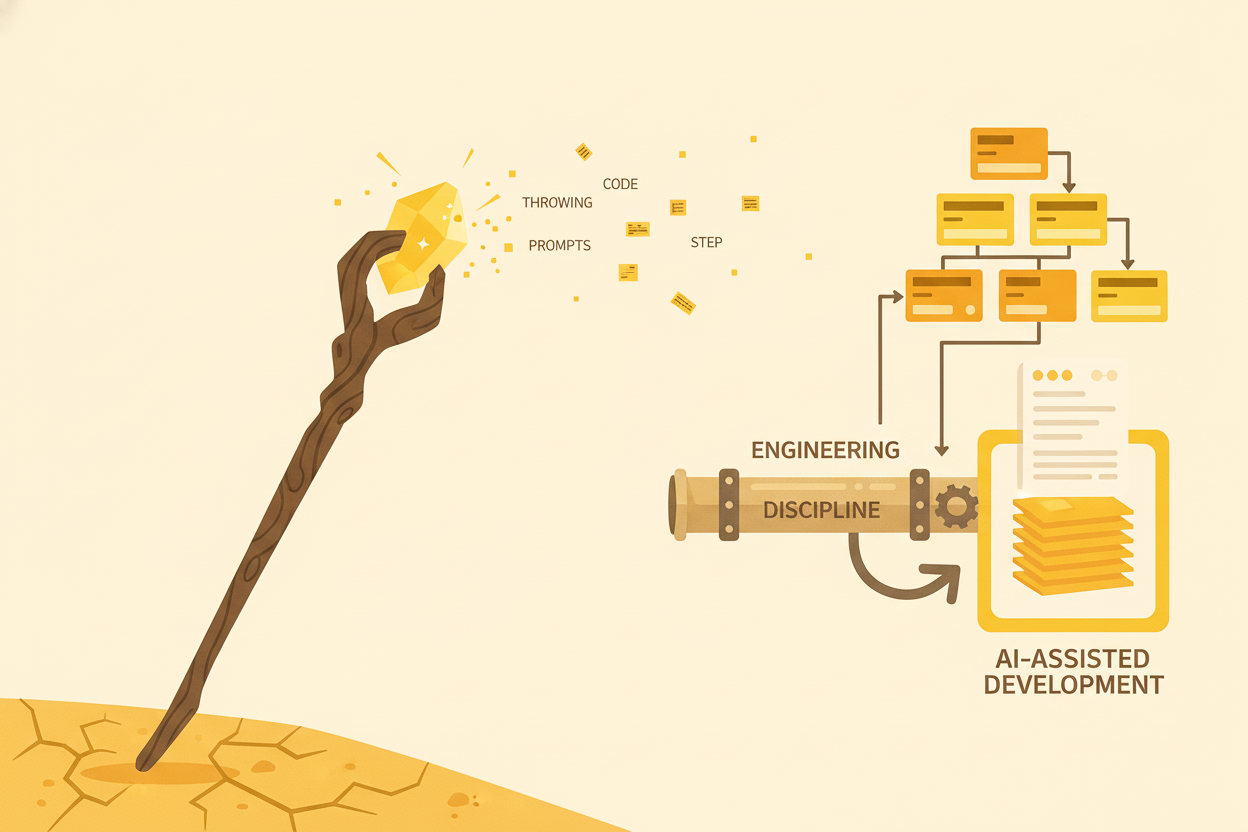
The Problem: Magic Thinking vs. Engineering Discipline
Let me show you what I see in the wild.
The “Vomit and Pray” Pattern
You know this one. Developer dumps an entire feature spec into ChatGPT. Gets back 300 lines of code. Tries to integrate it. Doesn’t work. Doesn’t fit the existing patterns. Has subtle bugs that won’t surface until production.
So they try again. Copy-paste with slight variations. “Make it use our authentication system.” Another 300 lines. Still doesn’t quite work. Repeat until something “kind of works.” Ship it and hope for the best.
I’ve done this. You’ve probably done this. It feels productive—look how much code we generated! But if you measure time from “started prompting” to “verified working code in production,” it’s often slower than just writing it yourself.
The “Autocomplete on Steroids” Trap
Using Copilot or Cursor as fancy autocomplete. No planning, just “let AI fill in the blanks.” The code grows organically, without architecture. You accept suggestion after suggestion, and before you know it, you have a 500-line function that does twelve different things.
Technical debt accumulates faster than before because the friction of typing code—which used to give you time to think—is gone. You’re moving at the speed of acceptance, not the speed of thought.
The Cursor Effect: How the Best Tool Broke Trust
Here’s something I hear all the time now: “I tried AI coding tools. They don’t work. I use them for tiny stuff, but I can’t trust them for anything serious.”
And you know what? They’re right—about their experience. But wrong about the conclusion.
What happened? Cursor exploded in popularity because it was brilliant: VS Code experience you know, plus AI superpowers. For the first time, AI-assisted development felt native. It was magic.
Until it wasn’t.
The problem: Cursor’s economics don’t work. You can’t give unlimited access to expensive LLM APIs for a flat monthly fee without going bankrupt. So they rate limit. They downgrade models. They restrict context. One day you get perfect code, the next day garbage from the same prompt. Why? You hit an invisible limit.
The trust collapsed. And now an entire generation of developers concluded “AI tools don’t work” when really they mean “Cursor didn’t work consistently.”
That’s the curse. Cursor got popular enough to become the gatekeeper, but it’s not consistent enough to maintain trust. So developers gave up, assuming Cursor represents the best that’s possible.
It doesn’t. There are way better alternatives—direct API access, purpose-built tools, proper methodology. But most developers never get there because Cursor burned them first.
(Read more: The Curse of Cursor: How the Best AI Coding Tool Broke Developer Trust)
The “AI Will Fix It” Delusion
This is the most insidious one. Assuming the LLM understands context it was never given. Expecting it to make architectural decisions. Trusting generated code without verification because “AI is really good at this now.”
Here’s the thing: LLMs don’t make decisions. They predict tokens. When you see code that looks architecturally sound, it’s because the training data contained similar patterns. But it has no idea if that pattern fits your system.
Why This Doesn’t Work
From Anthropic’s recent research on building effective agents:
“Success in the LLM space isn’t about building the most sophisticated system. It’s about building the right system for your needs.”
And from the Stack Overflow blog, in their excellent piece “Generative AI is not going to build your engineering team for you”:
“Writing code is the easiest part of software engineering, and it’s getting easier by the day. The hard parts are what you do with that code—operating it, understanding it, extending it, and governing it over its entire lifecycle.”
This is the crux of it. LLMs have made the easy part (writing code) even easier. But they haven’t helped at all with the hard parts. If anything, by generating code so quickly, they’ve made the hard parts harder.
The same habits that make you a bad engineer make you bad at working with LLMs. The difference is, LLMs are so fast at generating code that your bad habits now scale 10x.
The Solution: Treat Your LLM Like You’d Treat Yourself
Here’s what changed everything for me: I started treating my interactions with LLMs the same way I treat my own engineering work.
Think about how you work on your own code:
- Understand the problem
- Plan the solution
- Break it into steps
- Implement incrementally
- Test continuously
- Review before shipping
Now think about how you work with LLMs. If you’re like most people, you skip straight to step 4, and you skip steps 5 and 6 too.
What if you didn’t?
A Real Example from My Workflow
I have a rule when I write server-client code: I always make sure the DTOs (Data Transfer Objects) are correct before I implement anything else. The interface between systems has to be solid, or everything built on top of it will be unstable.
Here’s how I used to work with LLMs:
❌ BAD:
"Build a REST API for user management with CRUD operations"

→ LLM generates everything at once
→ Routes, DTOs, validation, database access all mixed together
→ 400 lines of code I have to verify
→ DTOs are buried in the implementation
→ Hard to tell if they're even correct
Here’s how I work now:
✅ GOOD:
Step 1: "Define the DTOs for user management. I need:
- User (the entity)
- CreateUserRequest
- UpdateUserRequest
- UserResponse

Follow our DTO patterns from [existing file]."

→ Review DTOs carefully
→ Ensure they're correct
→ Verify they match our patterns

Step 2: "Good. Now create the API routes using these DTOs.
Follow our standard routing pattern from [file]."

→ Implementation builds on verified foundation
→ Much easier to review
→ Errors are isolated and obvious
The key principle: Break work into verifiable checkpoints where you—the human—can validate correctness before proceeding.
The Company Workflow Analogy
Think about how a company develops a new feature. Not a startup where three people do everything, but a real company with process.
The typical workflow:
-
Kickoff meeting
- Stakeholders discuss requirements
- Everyone familiarizes themselves with the problem
- Questions are asked, assumptions challenged
-
Planning phase
- PM creates product spec
- Designer creates mockups and interaction flows
- Developer creates technical design
- Each person works in their domain
-
Alignment meeting
- Review all plans together
- Ensure they’re compatible
- Identify gaps or conflicts
- Adjust before implementation starts
-
Execution phase
- Everyone builds according to company standards
- Regular check-ins
- Adjustments as needed
- Code review before shipping
Working with LLMs should follow the same structure.
1. Context Setting (“Kickoff”)
Don’t just paste your requirements. Set the stage:
"I'm working on a multi-step form system for client discovery.

Tech stack:
- Frontend: HTMX for progressive enhancement
- Backend: Effect-TS for type-safe error handling
- Database: PostgreSQL with JSONB for flexible schema
- Patterns: We use a 3-layer routing pattern (shared API definitions →
  server routes → app integration)

Here are examples of our existing patterns:
- Routing: [link to example file]
- Error handling: [link to example file]
- Validation: We use Effect Schema, not Zod

Let me know when you're familiar with our setup."
2. Planning Phase
Before writing any code:
"Create a plan for implementing Step 3 of the form (Business Details).

Include:
- Database schema changes (if needed)
- API endpoints required
- Validation rules
- Frontend components structure
- Integration points with existing code

Put this in a markdown document. Don't write any code yet."
Now you review the plan. Not code—the plan. This is infinitely easier to verify. You can spot architectural issues, missing considerations, conflicts with existing code, all before a single line is written.
3. Review & Alignment
You read the plan. You check it against your architecture. You identify issues.
Maybe the LLM suggested adding a new database table, but you realize the existing discovery_sessions table with JSONB can handle it. You caught this at the planning stage, not after implementing a migration.
Refine the plan. Iterate. Get it right.
4. Structured Execution
Now—and only now—do you write code:
"Good plan. Let's implement Step 1: Update the validation schema.

Add the business details fields to our existing schema in [file].
Follow the pattern used for contact info validation."

[Review the schema changes]

"Looks good. Now Step 2: Create the API endpoint handler.
Use our standard handler pattern from [file]."

[Review the handler]

"Perfect. Now Step 3: Create the frontend component..."
Each step is small. Each step is verifiable. You’re maintaining control over the architecture while leveraging the LLM’s ability to generate code quickly.
Why This Works
- Verifiable checkpoints: You validate each step before proceeding
- Context preservation: The LLM maintains understanding throughout the conversation
- Standard adherence: You enforce your patterns at each step
- Fewer compounding errors: Catch issues early, when they’re cheap to fix
- You stay in control: The LLM implements your decisions, not its own
Practical Techniques: Structure Your LLM Interactions
A. Document Your Standards
I keep a CLAUDE.md file in each project. It’s not for humans—it’s for the LLM.
# Development Standards

## Project Structure
- Apps in `apps/`
- Shared libs in `libs/`
- Each app has: api, shared, client folders

## Server Development Rules
1. Always define DTOs before implementation
2. Routes follow 3-layer pattern:
   - `libs/{app}/shared/api` - Type-safe contracts
   - `libs/{app}/server/routes` - Handlers
   - `apps/{app}/api` - Integration
3. Use Effect Schema for validation (not Zod)
4. Error handling uses Effect-TS error types
5. Test files are `<name>.spec.ts`

## Coding Patterns

### Route Handler Example
[Include actual code example from your codebase]

### Validation Example
[Include actual code example]
Now when I start a conversation, I just say: “Read the CLAUDE.md file first.” The LLM has all the context it needs to follow my patterns.
B. Use Workflows, Not Agents (Usually)
Anthropic’s research distinguishes between two approaches:
- Workflows: LLM orchestrated through predefined steps (predictable, controllable)
- Agents: LLM dynamically decides its own path (flexible but riskier)
For feature development, workflows are almost always better:
Workflow approach:
1. Plan → Review
2. Schema → Review
3. Backend → Review
4. Frontend → Review
5. Tests → Review
6. Integration → Review

Agent approach:
"Build the entire feature"
→ LLM decides what to do
→ Makes architectural decisions without your input
→ You review 1000 lines of code at the end
→ Higher chance of fundamental issues
When to use agents:
- Exploratory research (“Find all files that handle authentication”)
- Large-scale refactoring across many files
- Tasks where you genuinely don’t know the steps
When to use workflows:
- Feature development (you know the general shape)
- Bug fixes (you know where the bug is)
- Anything where you have opinions about how it should be done
The Hybrid Approach: Constrained Agents
There’s a third option that combines the best of both: teaching the LLM to use agents within a predictable framework.
Just like we define instructions for our projects (via CLAUDE.md or similar), we can define rules for how agents should operate:
# Agent Rules

When using autonomous agent mode:

1. ALWAYS create a plan first and wait for approval
2. Never modify more than 5 files without checkpointing
3. After each significant change, run tests before proceeding
4. If tests fail 2x in a row, stop and ask for guidance
5. Document all architectural decisions made
6. Use these patterns: [links to examples]
7. Never: [list of forbidden actions]
This gives you agent flexibility (it can decide how to solve problems) with workflow predictability (it operates within your constraints).
Example conversation:
You: "Refactor the authentication system to use Effect-TS error handling.
     Use agent mode, but follow the agent rules in CLAUDE.md."

LLM: "I'll work in agent mode with your constraints. Here's my plan:
     1. Identify all auth-related files
     2. Create new error types
     3. Refactor one file at a time
     4. Run tests after each file

     This will touch 8 files. I'll checkpoint every 3 files.
     Proceed?"

You: "Yes, but checkpoint every 2 files instead."

LLM: "Understood. Starting with Step 1..."
The agent has autonomy within boundaries. It’s not a free-for-all, and it’s not rigid step-by-step. It’s structured flexibility.
C. Create Feedback Loops
Never accept generated code blindly. Build verification into your process:
1. Generate code
2. Read it line by line
3. Ask questions: "Why did you choose this approach?"
4. Run it
5. Test it
6. Find issues? Give specific feedback
7. Regenerate
8. Repeat until verified
Sometimes I use what Anthropic calls the “Evaluator-Optimizer” pattern:
- One LLM call generates the code
- Another evaluates it against criteria
- Iterate until quality threshold is met
More often, I’m the evaluator. I’m faster and more accurate than another LLM call, because I know what “good” looks like in this codebase.
D. Maintain Context Discipline
LLMs have limited context windows, and more importantly, limited attention.
Don’t do this:
❌ BAD:
[Paste 50 files, 10,000 lines of code]
"Fix the bug in the user service"
Do this:
✅ GOOD:
"I have a bug in user authentication. Here's the relevant context:

The error:
[Paste stack trace]

The relevant code:
[Paste ONLY the auth service function, ~50 lines]

Expected behavior: User should stay logged in for 7 days
Actual behavior: Session expires after 1 day

Our session config:
[Paste the 10 relevant lines from config]

What's wrong?"
Be surgical. Give what’s needed, no more, no less.
Real-World Results: What Changes When You Have Discipline
Before I applied methodology to my LLM usage:
- Iterations to working code: 15-20 rounds of generate-test-fix
- Pattern adherence: Code rarely matched existing conventions
- Bug rate: Subtle issues that only surfaced later
- Integration pain: High - generated code didn’t fit well
- Trust level: Low - always anxious about what I was shipping
After applying methodology:
- Iterations to working code: 2-3 rounds of plan-review-implement
- Pattern adherence: Consistently matches our conventions
- Bug rate: Issues caught at planning stage
- Integration pain: Low - code fits naturally
- Trust level: High - I understand what was built and why
Here’s a concrete example. I recently built a 7-step progressive form with session resumability, email verification, and spam protection. The whole thing—backend, frontend, database, email integration—took about 8 hours with LLM assistance.
A year ago, working the old way (dump requirements, hope for magic), that would have taken me 3-4 days, and I would have been less confident in the result.
What changed?
I stopped asking the LLM to make decisions for me. Instead, I made the decisions and had the LLM help me implement them. Every feature started the same way:
- I created a plan (sometimes with LLM help brainstorming)
- We discussed the plan, refined it
- I approved it
- We executed step-by-step, with me reviewing each checkpoint
The code quality is dramatically better. More importantly, I understand what was built, because I was part of the decision-making at every step.
Why This Matters Beyond You
The Scaling Problem
Companies are making bets right now. I read articles every week about how “AI can replace junior engineers” or “we don’t need as many developers anymore.”
This is based on a fundamental misunderstanding of what engineers do.
As the Stack Overflow article points out: junior engineers aren’t just code-writing machines. They’re people learning to understand, maintain, and evolve systems. Writing code is the easiest part of that job.
LLMs make writing code easier, but the hard parts still require you. Yes, LLMs can suggest solutions, help you explore a complex system, even explain code. But here’s what they can’t do: they can’t ask the right questions on their own. They can’t set the guidelines. They can’t truly evaluate whether a suggestion is architecturally sound for your system.
LLMs are statistical creatures—you are in control. An engineer needs to know what to do and how to do it. That doesn’t mean you need to be the one typing every character, but it absolutely means you need to be the one making decisions. You ask the questions. You provide the constraints. You evaluate the suggestions. You approve or reject.
If anything, by generating code faster, LLMs amplify the importance of engineering judgment—there’s more code to evaluate, more architectural decisions to validate, more places where poor judgment can hide behind “but the AI suggested it.”
The Compounding Error Problem
Research from “Large Language Monkeys: Scaling Inference Compute with Repeated Sampling” shows that LLM coverage (ability to solve problems) scales with the number of attempts. Generate 100 solutions, and you’re more likely to find a working one than if you generate 10.
But here’s the catch: in domains without automatic verifiers, you need human validation.
If you’re solving SWE-bench coding challenges with automated tests, great—generate 250 solutions, run the tests, ship the one that passes. But most software development doesn’t have automatic verification. You need a human to evaluate whether the code is good, not just whether it works.
This is why methodology matters:
- Without structure: Generate lots of code fast (quantity, unknown quality)
- With structure: Generate verified code at controlled pace (known quality)
What Makes a Good Engineer in the LLM Era
The skills that mattered before LLMs matter even more now:
✅ System thinking - Understanding how pieces fit together
✅ Problem decomposition - Breaking complex problems into steps
✅ Code review skills - Evaluating quality quickly
✅ Architectural judgment - Knowing what “good” looks like
✅ Pattern recognition - Spotting issues and opportunities
What matters less:
❌ Typing speed
❌ Memorizing syntax
❌ Writing boilerplate
LLMs are tools that amplify your capabilities. If you have good methodology, they make you 10x faster. If you have bad methodology, they help you create technical debt 10x faster.
Practical Starting Points: How to Apply This Tomorrow
You don’t need to overhaul your entire workflow. Start small.
1. Ask for a Plan First
Next time you’re about to ask an LLM to generate code, stop. Ask for a plan instead:
Instead of:
"Build a user authentication system"

Try:
"Create a plan for implementing user authentication.

Include:
- Database schema needed
- API endpoints
- Security considerations
- Testing strategy

Don't write any code yet."
Review the plan. Refine it. Then implement it step by step.
2. Create a Standards Document
Start a CLAUDE.md (or AI_CONTEXT.md, whatever you want to call it) in your repo.
Document:
- Your coding patterns
- Your architecture decisions
- Examples from existing code
- Things the LLM should never do
- Things the LLM should always do
Reference it at the start of every conversation.
3. Break Work Into Explicit Steps
Before you start prompting, write down the steps yourself:
Task: Add email verification to user signup

Steps:
1. Add verification_code and verified_at to users table
2. Create email template for verification
3. Update signup endpoint to send verification email
4. Create verify endpoint
5. Add tests
Now execute one step at a time. Review after each. Don’t proceed until verified.
4. Treat Generated Code Like a Code Review
When the LLM generates code:
- Read every line
- Question decisions you don’t understand
- Ask “why did you do it this way?”
- Test thoroughly
- Give specific feedback
- Iterate until it’s actually right
Don’t accept code just because it compiles.
Conclusion: Engineering Discipline Scales, Magic Thinking Doesn’t
Here’s the TL;DR: LLMs are powerful tools, but they’re tools. They don’t replace engineering discipline—they amplify it.
The same process that makes you successful as an engineer makes you successful working with LLMs: Plan, structure, verify, iterate. The LLM is just faster at typing than you are.
We’re at a crossroads. Companies are making decisions about AI and engineering teams based on the assumption that LLMs can replace certain roles or eliminate certain work.
This is only true if you believe writing code IS the work.
Those of us who know better—who understand that writing code is the easy part—need to demonstrate how LLMs fit into our methodology.
Not as replacements. As amplifiers.
Next time you reach for ChatGPT or Cursor, ask yourself:
- Do I have a plan, or am I hoping the LLM will make one for me?
- Am I giving the LLM the context it needs, or treating it like it can read my mind?
- Am I verifying each step, or just accepting whatever comes out?
- Would I work this way with a human colleague?
If the answer makes you uncomfortable, you know what to do.
What I Haven’t Covered (But You Should Be Thinking About)
This post scratches the surface. If you’re serious about implementing LLM-driven development at scale, here are the questions that separate hobbyists from professionals:
-
Team consistency: How do you ensure all developers are working in the same efficient manner? One dev using best practices while another is still doing “vomit and pray” means you don’t have a process—you have chaos.
-
Context management at scale: How do you handle performance when dropping dozens of files into an LLM? The boot alone will eat up most of your context window. Strategies for managing large codebases with LLMs (coming soon)
-
Propagating changes safely: Suppose your team changes how you do something—a new pattern, a better approach, updated standards. How do you ensure those changes propagate to every developer effectively and safely? Version control for LLM workflows (coming soon)
-
Measuring actual impact: Everyone claims AI makes them faster. How do you actually measure it? What metrics matter? Tracking productivity improvements with AI tooling (coming soon)
-
Onboarding new team members: How do you bring someone new up to speed on your LLM workflows? What’s the training process? Building an LLM onboarding program (coming soon)
-
Handling sensitive code: What about proprietary algorithms, security-critical code, or systems that can’t be sent to third-party APIs? Working with LLMs in restricted environments (coming soon)
-
Tool selection and vendor lock-in: ChatGPT, Claude, Cursor, Copilot—they all work differently. How do you pick? How do you avoid lock-in? Choosing the right LLM tools for your team (coming soon)
-
Cost management: LLM API calls add up. At scale, you need a strategy. Managing LLM costs in production environments (coming soon)
These aren’t trivial problems. They’re the difference between “we use AI tools” and “we have an AI-enabled development organization.”
If reading this list made you realize there’s more to this than you thought, good. That’s the point.
Want help implementing better development practices in your team? .
References
- Building Effective Agents - Anthropic Research, Dec 2024
- Generative AI is not going to build your engineering team for you - Stack Overflow Blog, June 2024
- Large Language Monkeys: Scaling Inference Compute with Repeated Sampling - arXiv, July 2024